Showing posts with label Techno News. Show all posts

Monday, December 6, 2010

Ubuntu 10.10


Ubuntu has set a precedent of simplicity, making each release easier to install use and set up than the previous one, and Ubuntu 10.10 "Maverick Meerkat" is no exception. The latest release, perhaps not as significant or as controversial as the previous Ubuntu 10.04 release, which was a long-term release that redefined the UI, however comes with a number of new features that make it one of the simplest Linux distributions for the Linux newcomer.
Ubuntu is most popularly available as a live installable CD in both 32-bit and 64-bit versions. If you want a more configurable installer, you can download the alternate CD that includes more applications and a text-based installer. There is also the DVD version that bundles a larger number of applications with it. For Windows users there is "Wubi" a Windows application that can install Ubuntu on the free space in a Windows partition while Windows it running. We used a 64-bit standard desktop live CD.
When you boot from the live CD, it gives you the option to either test Ubuntu, or simply begin the install process. Even if you fully intend to install Ubuntu, we recommend that you choose to try it instead. You can then launch the installer from the live Ubuntu instance. The advantage in doing so is that you will have a functional Linux desktop up and running while the installation is going on. You can check your mail, listen to music, watch YouTube videos, or play games while the installation goes on in the background.

Ubuntu live CD boot

 
Ubuntu 10.10 brings with it possible the simplest installer of any Linux version. The fact that many Ubuntu reviewers make the same proclamation with each version that comes out, should show you how important simplicity and ease of use are to Ubuntu developers.
As usual the Ubuntu installer asks you the bare minimum it needs to in order to set up the OS. This means that there is little in the way of configuring which applications to install, and no configuration of networks etc. Right in the first step, you have the option to download and install updates while installing, and you can also choose to install Ubuntu with some proprietary components such as MP3 codecs, Flash etc. This is all there is to your software setup.

Basic setup


Disc setup and partitioning

 
At this point you will already get an "Install Now" button. What about user setup and configuration you wonder? Well that goes on in parallel with the core installation! This saves time by installing you operating system while you configure it.
You will get a screen called "Where are you?" with a map to configure your regional settings and time-zone. Second, you can pick your keyboard layout. Finally, the "Who are you?" page appears where you can set up the primary user. Supply your name, and Ubuntu will automatically provide reasonable defaults for the computer name and username. Now you wait while Ubuntu finishes the installation. Overlapping the configuration and the installation steps doesn't really save much time, but even a little is better than nothing.

System configuration during setup


The complete installation takes fewer than 15 minutes, but it can take significantly longer depending on whether you opted to install the updates during the installation. In that case your internet connection speed will have a huge impact.

Thursday, December 2, 2010

Google's Chrome OS to be Available Soon this Year


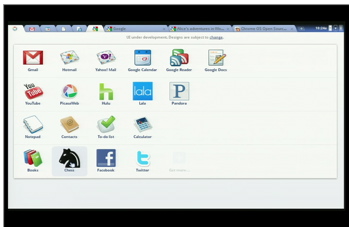
Google’s own operating system, Chrome OS will be out this year. The Google has confirmed this news now wait to be over soon. The Google's CEO Eric Schmidt informed last week at Web 2.0 Conference that the OS would come in the next few months. The Chrome OS surely a great challenge to Windows and Linux in the netbook market. 


Recently Slashgear has reported that “Component makers are whispering that the fabled Google Chrome OS will ship in November”, and also cites Digitimes reports that “Google will supposedly planning the launch its own brand Chrome notebook along the lines of Nexus One”.
Though according to some other news Google will only launch software rather than hardware, and has been told by the search giant that “We’re not going into details at this point”.


Schmidt also confirmed at the Web 2.0 Summit talk that Chrome OS was meant for keyboards, while Android was meant for touch. Very soon a first beta release of the Chrome OS will be available for users waiting from a long time. Currently six bugs presenting major problems in the software. Problematic features, however, could be removed to speed up the release date.


What we know about Chrome OS already:
It will be free and open source
It is built on the Linux Kernel but has a totally new windowing system.
It will support both x86 and ARM architecture.
It will run Web apps as if they're native desktop apps.
It is not a handset OS like Android, but there will be "overlap" in functionality
Acer, Adobe, ASUS, Freescale, Hewlett-Packard, Lenovo, Qualcomm, Texas Instruments, and Toshiba have all voiced support for Chrome OS.
Chrome OS Director Matthew Papakipos is director of the HTML 5 Open Web Platform efforts at Google.
The underlying security architecture of "standard" operating systems is being completely redesigned.

Until today, these facts have only raised more questions. Far too many to even list here.
EAR2RHXKKAZA


Basic of Google Android With Whats New in New Versions of Android


Google's mobile operating system Android is a super hot topic these days and this mobile platform suppose to overtake all smartphone market share soon. Its the best time you to know more about this platform and know whats new in the latest Android version 2.1 (Eclair) and 2.2 (Froyo). And even Android 2.3 aka Gingerbread also has annonced by Google. Most of new phone comes with Android 2.1 and some with even Android 2.2 and other offer to upgrade with.
Here I'm writing about what is Android and the new features in above new versions and than you better understand why you must have your Android phone to updated with. 
The Basic of Android: Android is a mobile operating system initially developed by Android Inc., a firm purchased by Google in 2005. Android is based upon a modified version of the Linux kernel. Google and other members of the Open Handset Alliance collaborated to develop and release Android to the world. The Android Open Source Project (AOSP) is tasked with the maintenance and further development of Android. Unit sales for Android OS smartphones ranked first among all smartphone OS handsets sold in the U.S. in the second and third quarters of 2010, with a third quarter market share of 43.6%. On 28 August 2008 Google launched online app store Android Market. There are currently over 100,000 apps available for Android.
The Android distribution announced on 5 November 2007 with the founding of the Open Handset Alliance, a consortium of 78 hardware, software, and telecom companies devoted to advancing open standards for mobile devices.
~On 30 April 2009, the official 1.5 codename Cupcake update for Android was released.
~On 15 September 2009, the 1.6 codename Donut SDK was released.
~On 26 October 2009, the 2.0 codename Eclair SDK was released.
~The 2.0.1 SDK was released on 3 December 2009.
~The 2.1 SDK was released on 12 January 2010.
~On 20 May 2010, the 2.2 codename Froyo - Frozen Yogurt, SDK was released.
~3.0  codename Honeycomb Scheduled for early 2011 launch.
~A future version 4.0 codename Ice Cream supposed mid 2011 launch.


Whats New Features and Improvements in Upcoming Android 2.3 (Gingerbread):
WebM video playback Support.
Support for WebP image files.
Support for Google TV.
Bluetooth voice commands.
Support for Near Field Communication.
Unconfirmed new features.
Improved copy–paste functionalities.
Improved social networking features.
Broader video codec support.
Android Market music store.
Media streaming from PC library.
Full Revamped UI.
Support for bigger screens with up to Wide XGA (1366×768) resolution.
New 3D Games support including new Marketplace area for gaming.
Use of mksh for /system/bin/sh.
Support for video calls.


Whats New Features and Improvements in Android 2.2 (Froyo):
Home Screen:
New Home screen tips widget assists new users on how to configure the home screen with shortcuts and widgets and how to make use of multiple home screens.
The Phone, applications Launcher, and Browser now have dedicated shortcuts on the Home screen, making it easy to access them from any of the 5 home screen panels.
Exchange support:
Improved security with the addition of numeric pin or alpha-numeric password options to unlock device. Exchange administrators can enforce password policy across devices.
Remote wipe: Exchange administrators can remotely reset the device to factory defaults to secure data in case device is lost or stolen.
Exchange Calendars are now supported in the Calendar application.
Auto-discovery: you just need to know your user-name and password to easily set up and sync an Exchange account (available for Exchange 2007 and higher).
Global Address Lists look-up is now available in the Email application, enabling users to auto-complete recipient names from the directory.
Camera and Gallery:
Gallery allows you to peek into picture stacks using a zoom gesture.
Camera onscreen buttons provide easy access to a new UI for controling zoom, flash, white balance, geo-tagging, focus and exposure. Camcorder also provides an easy way to set video size/quality for MMS and YouTube.
With the LED flash now enabled for the Camcorder, videos can be shot at night or in low light settings.
More Settings in Camera app; Focus Mode, Store location in photo metadata, White Balance options, toggle Flash, Zoom options. For Video; Color effects (Mono, Sepia, Negative, Posterize, etc), White Balance, toggle Flash, toggle Video Quality also a custom setting for high quality for YouTube capped at 10 minutes.
Wi-Fi Tethering and Portable Hotspot:
Certain devices like the Nexus One can be turned into a portable Wi-Fi hotspot that can be shared with up to 8 devices.
You can use your Android-powered phone as a 3G connection for a Windows or Linux laptop by connecting their phone to the computer with a USB cable. The connection is then shared between the two devices.
Multiple keyboard languages:
Multi-lingual users can add multiple languages to the keyboard and switch between multiple Latin-based input languages by swiping across the space bar. This changes the keys as well as the auto-suggest dictionary.
Improved performance:
Performance of the browser has been enhanced using the V8 engine, which enables faster loading of JavaScript-heavy pages.
Dalvik Performance Boost: 2x-5x performance speedup for CPU-heavy code over Android 2.1 with Dalvik JIT.
The graph to the right shows the performance speedup from Android 2.1 to Android 2.2 using various benchmark tests. For example, LinPack is now more than 5 times faster.
Kernel Memory Management Boost: Improved memory reclaim by up to 20x, which results in faster app switching and smoother performance on memory-constrained devices.
Featured Enhancements:
No Flash initially installed however you download it from the Android Market.
Bluetooth Voice Dialing for hands-free calling while driving
Cloud to Device Messaging which allows you to send in the near future download Android Apps from the new Android Market; plus send Google Maps, YouTube videos, Webpage links, phone numbers, and text directly to Android Phones
Updated Google Search bar to include dropdown for All, Web, Apps or Contacts search. Plus choose which items are searchable… not just those previously mentioned yet specific apps; Messaging, Twitter, Music, etc.
Yes the is a “Move App to SD Card” feature, but developers have to update and  enable this option for their apps to be installed to SD Card.
System Settings Improved:
Phone and Browser quick launch are along side the app launcher.
Personalized search results saved to your Gmail profile.
Can allow offensive words in voice recognition settings.
Edge/3G: enable/disable data access over Mobile network.
Battery: sound when battery is low.
Multi-language stock keyboard.
Core Apps: Gmail, Contacts, Messaging, Facebook, Market, Talk, Car Home
Updated Market with auto-update settings, update all apps feature, and updated layout.
Updated Gmail app include Previous/Next buttons when reading emails. Jump between accounts by tapping the email address in header versus pressing Menu button then tap Accounts. You can select/copy text from email, colored labels. Now Android Apps (the APK files) can be installed from email attachment. 
Contacts with multiple similar calls grouped together which can be toggled to show more detail. Option to sort by last name, display last name first.


Whats New Features and Improvements in Android 2.1 (Eclair): 
Live Interactive wallpapers:
The interactive backgrounds move in different ways: Some shift and swirl as you navigate around your home screens; others generate visualizations based upon music or finger-taps. It make Android devices look prettier. Animated wallpapers are onboard, and if you fancy it, you can interact with them too. For example, if you have an animated wallpaper featuring water, you can press the screen and ripples will appear.
Additional Home Screens:
Compared to the three home screens found by default in Android 2.0 (and the slightly updated Android 2.0.1), the 2.1 release of Android gives you five home screens to fill with shortcuts and widgets as you wish.
It means you can cram in more apps from the rapidly increasing selection on the Android Market, and of course shortcuts and Widgets. Although customised OS Android devices (such as the Milestone, T-Mobile Pulse, HTC Magic) did previously have more than three homescreens, they're now there from the off!
Updated Home Screen Navigation:
Along with the added home screens comes a thumbnail-based navigation system that allows you to quickly jump to any screen. You can still swipe left or right normally to move through the various screens, but the thumbnail system gives you the option to also see small icons of all five screens and tap directly on any one to jump straight to it.
Voice Controls for All Field:
Android 2.1 provides voice recognition for all text fields. Being able to control your phone via voice may not be at the top of everyone's list of features. Not only can you demand it takes you somewhere and be presented with turn-by-turn voice directions, but you can also send Tweets, SMS messages and emails just by telling your phone what you want to say. You can do everything from sending texts to writing e-mails by simply speaking the words into your phone.
New Widgets:
The Android 2.1 has same black-colored system widgets introduced in Android 2.0.1. Google has also added a widget that displays the latest news stories and weather on your home screen, then offers multiple tabs of news and weather information when opened in its full size.
Google Earth:
The Google Earth app for Android will launch hand in hand with 2.1, and it does look mighty impressive from over here. It's pretty similar, well, to Google Earth on iPhone, but there's a new mode where you can apparently fly through the air like a bird. Nice.
Phonebook:
The phonebook on Android 2.1 devices will automatically pull in contacts from multiple sources including Facebook, and although it was a feature found on many customised UIs such as Motorola's MotoBLUR, having it natively installed makes it much smoother.
Email:
Android 2.1 will bring with it the ability to have more than one Gmail account working from the same inbox. This means if you have two Gmail accounts, you can get them both feeding one inbox, rather than having to set up separate accounts.
Weather App:
The new weather app as featured on Android 2.1 will include dynamic weather updates that use GPS to give minute-by-minute accounts of the temperature, humidity and weather conditions in your current location.
3D Photo Gallery:
The new 3D photo gallery feature introduced in Android 2.1. Google developed this system with Cooliris. This shows all of your images in a slick three dimensional view. Albums are clustered by time, date and location too, so your gallery will be perfectly ordered. It also integrates two-way sync with online photo albums stored at Picasa.
New App Launcher:
Android's App Launcher has been revamped so you no longer have to drag and pull to get to the app menu. Simply tap a button and everything smoothly zooms into place. Compared to the drawer-like look in previous versions, where the app list would slide up from the bottom of the screen, the 2.1 app launcher flies the icons in from the corners of the screen while fading in a dark background behind them. It then uses a rolling effect as you scroll down through the list

Google Earth 6 Introduced with the Next Generation


Google has introduced Google Earth 6 with realism in the virtual globe to the next level with two new features: a truly integrated Street View experience and 3D trees. Street View which became a craze with Google Maps is now integrated into Google Earth. With Google Earth 6, you can explore the streets in 3D like never before. Fly from outer space down to the streets with the new Street View and easily navigate your way around. Switch to ground-level view to see the same location in 3D.

Integrated Street View:
In Google Earth 6, the Street View experience is now fully integrated, so you can journey from outer space right to your doorstep in one seamless flight. Now, you’ll notice that Pegman is docked right alongside the navigation controls—an ever-present travel companion ready whenever you want to get your feet on the street and take a virtual walk around. Just pick up Pegman and drop him wherever you see a highlighted blue road to fly right down to the ground. Once there, you can use the navigation controls or your mouse to look around. And unlike our earlier Street View layer, you can now move seamlessly from one location to another as if you’re walking down the street by using the scroll-wheel on your mouse or the arrow keys on your keyboard. If you want to visit somewhere farther away, simply click the “exit” button and you’ll immediately return to an aerial view where you can easily fly to your next destination.


3D Trees:
In Google Earth 6 you can view trees in 3D view which includes beautifully detailed, 3D models for dozens of species of trees, from the Japanese Maple to the East African Cordia to the cacao tree. Google Earth already have more than 80 million trees in places such as Athens, Berlin, Chicago, New York City, San Francisco and Tokyo. Through Google Earth Outreach program, Google also working with organizations including the Green Belt Movement in Africa, the Amazon Conservation Team in Brazil and CONABIO in Mexico to model our planet’s threatened forests.


Easy-to-use historical imagery:
With this new beta version its very easy to discover historical imagery. When you fly to an area where historical imagery is available, the date of the oldest imagery will appear in the status bar at the bottom of the screen. If you click on this date, you’ll instantly be taken back in time to view imagery from that time period. You can then browse through all the historical imagery available for that location, or simply close the time control and return to the default view.

Download Google Earth 6.0.0.1735 Beta Latest Full Setup:
Google Earth 6.0.0.1735 Beta (13.9 MB) 


How to Switch Operator in Mobile Number Portability in India

Now after a long wait the Mobile Number Portability (MNP) started in India with initial launching in Haryana on November 25, 2010. And if you thinking about how to activate Mobile Number Portability here I'm telling about it. It was launched by telecom minister Kapil Sibal in Haryana, allowing 18 million cellphone users in the state to retain their number while changing the service provider. 

But some other area of the country will have this facility by the New Year, while it will be available throughout the country by March 2011. Though India is behind in getting this service as the countries like USA, Australia, Pakistan and many others had it from long time.


How to Switch Your Current Operator and Port a Mobile Number
~You need to send SMS to 1900 in following format: PORTYour Mobile Number
For exp: PORT 9999999999.
~You will get an SMS reply with a unique porting code.
~SMS to the preferred operator quoting the unique code. This code is valid only for a few days and you will have to apply again if it expires.
Now your existing operator will check with new operator & if there are no dues then approval will be given for porting.
~You will get an SMS on the time and date when porting will take place. The process may take 4 days to complete.
~After porting is complete, wait for an SMS from your new operator confirming the operation.
~After this your phone may be offline for about 2 hours when the porting takes place.


The charge for MNP is Rs. 19 and this will be charged by any of telecom operators for porting a mobile number. 


What is Mobile Number Portability (MNP):
Mobile number portability (MNP) enables mobile telephone users to retain their mobile telephone numbers when changing from one mobile network operator to another. Where a customer taking a service from a mobile operator (eg Vodafone, Airtel) can retain their telephone number when they change to a different mobile operator or service provider.